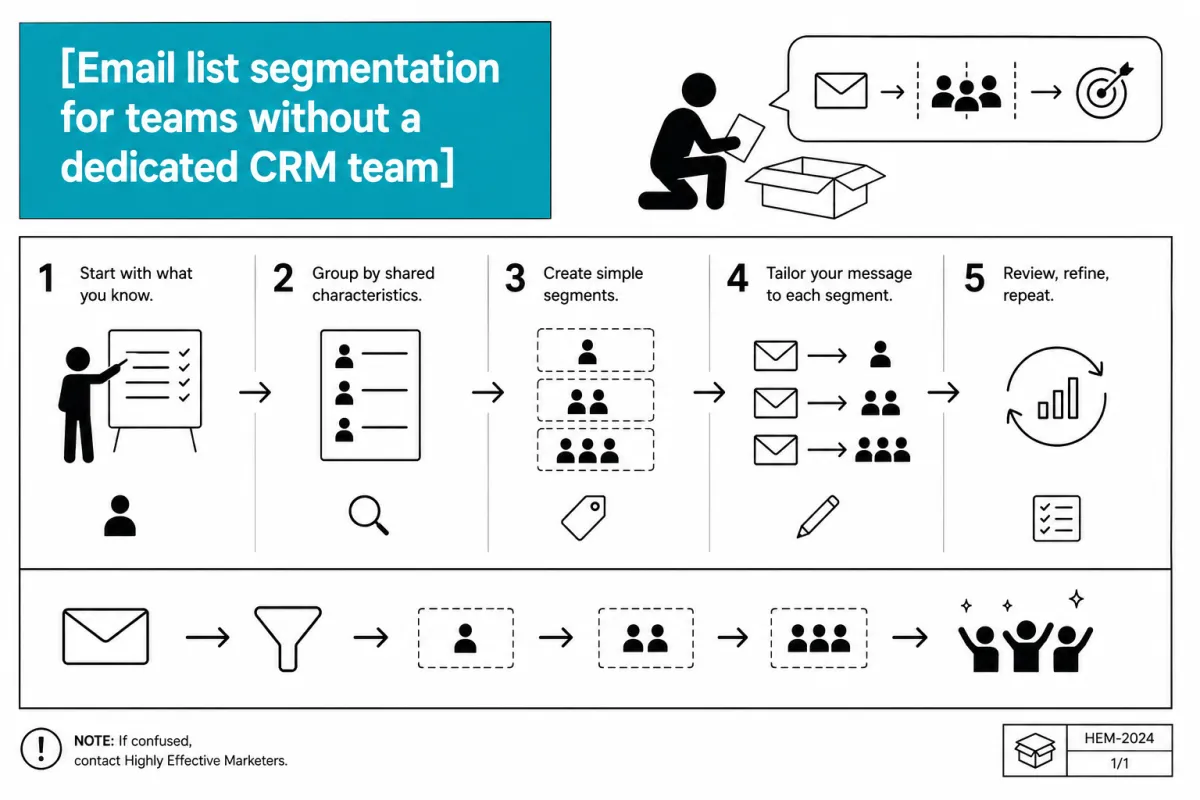
Email list segmentation
Email list segmentation for teams without a dedicated CRM team
There are two ways email segmentation goes wrong.
The first is not doing it at all. One list, one message, everyone gets everything. Your long-term subscribers get the same onboarding email as your newest sign-ups. Your clients get the same promotional offer as people who've never bought anything. The message never quite fits anyone because it has to fit everyone.
The second is over-engineering it into paralysis. 12 segments. Behavioural triggers firing in 6 directions. Conditional logic stacked 4 layers deep. A CRM setup that requires an actual operations person to maintain — which most marketing teams don't have. And when the system breaks, nobody knows where to look.
Both of these cost you. The first costs you conversion. The second costs you time and sanity, and usually ends with the team quietly abandoning the system and defaulting back to blasting the whole list anyway.
The useful question: what's the minimum viable segmentation that actually changes what you say?
Because segmentation for its own sake is just complexity dressed up as strategy. The only segmentation worth doing is the kind that changes the email.
The principle: segment on what changes the message
Before deciding how to segment, decide what changes downstream.
If two segments of your list would receive the same email content, same offer, and same tone — they're not different segments. They're the same audience with different labels, and the complexity you've built to separate them is pure overhead.
Segmentation earns its keep when it lets you say something to one group you couldn't say to everyone. A different angle on a problem. A different offer. A different level of assumed knowledge. A different call to action.
So start there. What are the meaningful differences in your list that change what you'd write?
For most small marketing teams, the answer is 2 or 3 variables. Not 10.
The 3 segments worth building
1. Lifecycle stage
Where is someone in their relationship with you?
This is the most useful first cut because it changes almost everything — the tone, the level of trust you can assume, the offer you can reasonably make, the knowledge you can take for granted.
A simple lifecycle segmentation has 3 stages:
New subscribers (0-30 days): Still forming an opinion. The welcome sequence is running. Don't interrupt it with your regular newsletter or a promotional offer. Let the onboarding do its job.
Engaged subscribers (30+ days, opening regularly): They've decided to pay attention. These are your warmest prospects and your best candidates for offers, higher-involvement content, and direct asks.
Cold subscribers (90+ days, not opening): They haven't engaged in a while. Before you keep spending sends on them, run a re-engagement campaign. If they don't respond, suppress or remove them. A smaller, engaged list outperforms a large, indifferent one every time — and it costs you less in platform fees.
Most ESPs let you build these segments automatically based on sign-up date and engagement history. Set it up once; it runs itself.
2. Entry point (what they came in for)
If your list has multiple lead magnets or opt-in sources, the entry point tells you what problem the subscriber was trying to solve when they signed up.
Someone who downloaded a pricing framework has a different immediate problem than someone who downloaded a campaign planning template. If you treat them identically, you're missing the most relevant window you'll ever have with that subscriber — the moment when their specific problem is most salient.
Entry point segmentation is simplest to execute: tag subscribers at sign-up based on which form or lead magnet they came through. That tag persists. It lets you send the email 3 content in your welcome sequence about the topic they came in for, and make the email 5 offer the logical next step from that entry point.
This doesn't require complex automation. A tag applied at opt-in, and email content branching based on that tag, is achievable in every major ESP.
3. Buyers vs. non-buyers
Once you have paying customers on your list alongside prospects, segmenting them is non-negotiable.
The mistake is sending a promotional offer to someone who already bought the product in the offer. It's a small thing, but it erodes trust — it signals that you don't know who they are.
More importantly, buyers have already demonstrated something non-buyers haven't: willingness to pay. The content and offers you send to buyers can assume more context, go deeper, and move toward the next logical purchase faster. They don't need the same trust-building content that prospects do.
A buyer tag is the minimum. If you eventually want to get into LTV segmentation (new buyer vs. repeat buyer vs. high-value customer), that's a useful evolution — but start with the binary.
What you probably don't need
A few common segmentation ideas that sound useful but mostly create overhead:
Demographics (age, job title, company size, geography): Useful if you have genuinely different product lines for different audiences. Rarely useful if the offer is the same for everyone and you're just personalising the first line. The maintenance cost usually exceeds the conversion lift.
Interest tags from content clicks: In theory, tracking which links subscribers click to infer their interests sounds smart. In practice, you need significant volume before click-based segments are statistically meaningful, and the maintenance burden is high. Better to use entry point (known at opt-in) than to infer interest from behaviour at scale.
Engagement scoring with 10+ tiers: Engaged vs. cold is enough for most small teams. Detailed scoring models are useful when you're managing 100,000+ subscribers and have someone dedicated to CRM. Below that threshold, they add complexity without proportional return.
Actually building it
The setup is simpler than it sounds. Here's a practical starting point:
Set up 3 tags: new-subscriber, buyer, and one tag per lead magnet entry point. Your ESP's native tagging handles this.
Create 3 lists or segments using those tags: new subscribers in onboarding (tag: new-subscriber, applied for first 30 days), engaged prospects (no buyer tag, subscribed 30+ days, opened at least one email in the last 90), and buyers (tag: buyer).
Run your regular sends to engaged prospects as the default audience. New subscribers get the welcome sequence only. Buyers get a separate track.
Review cold subscribers quarterly. Decide whether to reactivate or suppress.
That's it. Four decisions, set up once, maintained with a quarterly review. No full-time CRM person required.
The compounding effect
The value of simple, well-maintained segmentation isn't visible in any single send. It shows up over time.
Your conversion rates go up because offers reach the right people at the right moment. Your deliverability improves because you're not blasting cold subscribers and tanking your sender reputation. Your unsubscribe rates drop because people feel like the emails are relevant.
And you stop spending time writing emails that try to speak to everyone and end up resonating with no one.
The goal isn't a sophisticated segmentation architecture. The goal is a list where the right person gets the right message at the right time — without requiring a dedicated team to run it.
Three segments, set up properly, gets you most of the way there.
The HEM free toolkit includes a campaign plan template that covers segmented campaign planning — including how to map your messaging by audience stage.
[DOWNLOAD THE FREE TOOLKIT]